
Root Verifier Pro2.4 - Google Play
You'll be able to see results in few seconds.
Publisher Description

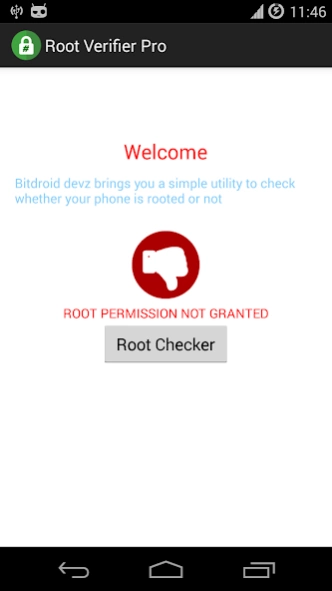
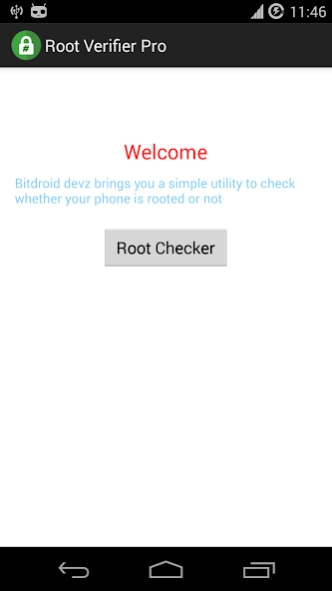
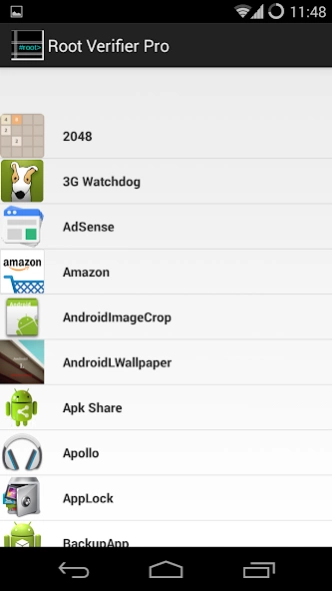
Utility for sharing apks, verify device is rooted or not and many more
Root Verifier Pro is a free utility to check whether the Android device is rooted or not.
Root Verifier Pro just verify whether user have rooted his phone properly or not.
Root Verifier Pro will test the device for root access using a very simple and reliable method. Root Verifier Pro will also test whether device has proper permission or not.
Update: As promised. Now the UI has been improved, Also Root Verifier Pro Can be used to Check Battery Status And RAM Status at one place only. So No need to go to Settings to Check the Battery Status or RAM Status. You can see it at one place in a beautiful icon shape.
And now you can backup your apks.
How to use Share Apk feature:
Click on Share Apk, It will list all applications install in your device. scroll to find your app which you want to backup. Click on it, It will display a message for the location where it is stored.
In next Version, Root Verifier Pro will have more features to make it more developer/ user friendly.
Support:
If you have any technical problems or any Suggestion for next version please email us at bitdroid.devz@gmail.com.
Please include the app's version, your device information and a screenshot if possible.
The more information that you provide to us, the better we can serve you.
Its also used as Root Checker and Share App.
We have launched a blog to keep you updated, Please check it out : https://bitdroiddevz.blogspot.com
About Root Verifier Pro
The company that develops Root Verifier Pro is Bitdroid Devz. The latest version released by its developer is 2.4.
To install Root Verifier Pro on your Android device, just click the green Continue To App button above to start the installation process. The app is listed on our website since 2015-12-08 and was downloaded 0 times. We have already checked if the download link is safe, however for your own protection we recommend that you scan the downloaded app with your antivirus. Your antivirus may detect the Root Verifier Pro as malware as malware if the download link to com.bitdroid.rootverifier is broken.
How to install Root Verifier Pro on your Android device:
- Click on the Continue To App button on our website. This will redirect you to Google Play.
- Once the Root Verifier Pro is shown in the Google Play listing of your Android device, you can start its download and installation. Tap on the Install button located below the search bar and to the right of the app icon.
- A pop-up window with the permissions required by Root Verifier Pro will be shown. Click on Accept to continue the process.
- Root Verifier Pro will be downloaded onto your device, displaying a progress. Once the download completes, the installation will start and you'll get a notification after the installation is finished.
Program Details
System requirements
Download information
Pricing
Version History
version 2.4
posted on 2015-12-08
- Latest Material UI
- Store Apk to SdCard
- UI Improvements
- Battery Information available on home screen
- RAM Usage information on home screen
- Check IMEI Number from single click
version 2.4
posted on 2015-12-08
- Latest Material UI,- Store Apk to SdCard,- UI Improvements,- Battery Information available on home screen,- RAM Usage information on home screen,- Check IMEI Number from single click
Disclaimer
Official Google Play Link
We do not host Root Verifier Pro on our servers. We did not scan it for viruses, adware, spyware or other type of malware. This app is hosted by Google and passed their terms and conditions to be listed there. We recommend caution when installing it.
The Google Play link for Root Verifier Pro is provided to you by apps112.com without any warranties, representations or guarantees of any kind, so access it at your own risk.
If you have questions regarding this particular app contact the publisher directly. For questions about the functionalities of apps112.com contact us.
